
Call us now :08071793724
 Send Inquiry
 Send Inquiry
XPON ONU ROUTER
Price 3000 INR/ Piece
MOQ : 1 Piece
XPON ONU ROUTER Specification
- Interface Type
- 1x GPON Port, 1x GE Port, 1x FE Port, 1x VoIP Port, 1x USB Port
- Battery Backup
- Optional External Power Backup
- Connectivity Type
- Wired and Wireless
- Power Supply
- DC 12V, 1A Adapter
- Shelf Life
- N/A (Electronic Device)
- Range
- Up to 120 Meters (Wi-Fi)
- Operating Temperature
- 0C to 50C
- Model
- XPON ONU
- Size
- Standard Desktop Size
- Mounting Type
- Desktop/Wall Mount
- Frequency
- 2.4GHz / 5GHz Dual Band
- Features
- Dual-band WiFi, Four Antennas, Plug & Play, High-Speed Internet Access
- Product Type
- XPON ONU Router
- Application
- Home and Office Broadband Networking
- Dimension (L*W*H)
- 185mm x 125mm x 35mm (approx.)
- Material
- ABS Plastic
- Weight
- Approximately 350g
- Capacity
- Supports up to 32 Users
- Coverage Area
- Up to 120 meters (open area)
- Supported Protocols
- IPv4/IPv6, PPPoE, DHCP, NAT, DDNS, VLAN
- LED Indicators
- Power, LOS, PON, LAN, WiFi, Phone
- Firmware Upgrade
- Remote and Local Upgradable
- PON Port Type
- SC/APC
- Security
- WPA/WPA2-PSK Encryption
- Antenna
- 4 External High-Gain Antennas
- Operating Humidity
- 10% - 90% (Non-condensing)
- Management
- Web-based & CLI Supported
- LAN Ports
- 2 x RJ45 LAN Port
- WiFi Standard
- IEEE 802.11 b/g/n/ac
XPON ONU ROUTER Trade Information
- Minimum Order Quantity
- 1 Piece
- Supply Ability
- 500 Pieces Per Month
- Delivery Time
- 7 Days
XPON ONU ROUTER About
An xPON ONU (Optical Network Unit) Router is an all-in-one terminal device for fiber-optic broadband. It receives the optical signal from your internet provider's cable and converts it into standard electrical data, while routing that data to your wired and wireless devices.
Fast, Reliable WiFi Performance
Equipped with IEEE 802.11 b/g/n/ac dual-band capability and four external high-gain antennas, the XPON ONU Router ensures stable, high-speed wireless internet throughout your premises. This makes it ideal for streaming, conferencing, and general browsing without interruptions, even at a range of up to 120 meters in open areas.
Flexible Connectivity and Management
With two RJ45 LAN ports, SC/APC PON port, VoIP, USB, and support for both IPv4/IPv6 protocols, the router accommodates diverse networking demands. Management is streamlined through an intuitive web-based interface or CLI, and both local and remote firmware updates keep your network up-to-date effortlessly.
FAQ's of XPON ONU ROUTER:
Q: How do I set up the XPON ONU Router for home or office use?
A: Setting up the XPON ONU Router is straightforward. Simply connect the device to your power supply using the included DC 12V, 1A adapter. Attach the PON port (SC/APC type) to your fiber network and use the RJ45 LAN ports to connect wired devices. Wireless devices can connect using the provided WiFi credentials. Access the web management interface for further configuration.Q: What benefits do the four external high-gain antennas offer?
A: The four high-gain antennas enhance WiFi signal stability and coverage, ensuring strong connectivity throughout your premises, including challenging corners. This extended coverage-up to 120 meters in open space-supports seamless internet for multiple users and devices.Q: When should I opt for a battery backup with this router?
A: A battery backup is recommended if you need uninterrupted internet during power outages. As the XPON ONU Router supports optional external power backup, it ensures continuous operation and connectivity even when the main power supply is disrupted.Q: Where can the router be installed for optimal performance?
A: For the best coverage, install the XPON ONU Router in a central, elevated location without major obstructions. The device can be placed on a desktop or wall-mounted, depending on your space and preference, maximizing both wireless performance and accessibility.Q: What security features are available on the XPON ONU Router?
A: The router supports WPA/WPA2-PSK encryption, providing robust protection against unauthorized access. These protocols help secure your wireless network, ensuring safe internet usage for all connected devices.Q: How can I upgrade the XPON ONU Router's firmware?
A: Firmware for the XPON ONU Router can be updated locally via the web-based management interface or remotely as supported by your service provider. Regular updates help enhance performance, security, and compatibility with new devices.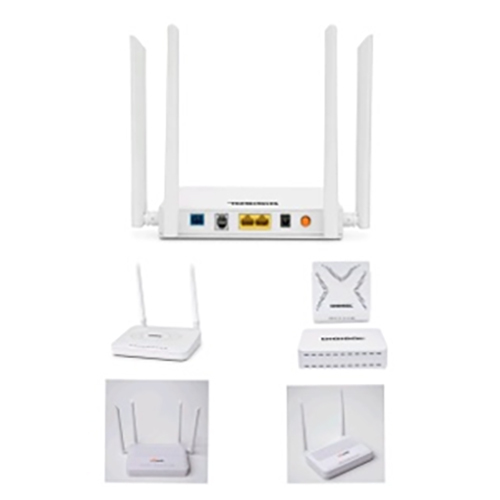
Tell us about your requirement

Price:
Quantity
Select Unit
- 50
- 100
- 200
- 250
- 500
- 1000+
Additional detail
Mobile number
Email

More Products in Telecom & IT Networking Products & Accessories Category
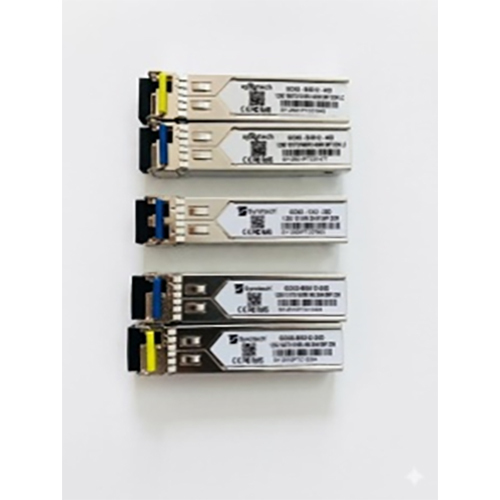
SFP (Small Form Factor Pluggable)
Price 1500 INR / Piece
Minimum Order Quantity : 2 Pieces
Size : Standard SFP size
Application : Telecommunications, Data Center, Networking Equipment
Product Type : SFP (Small Form Factor Pluggable) Transceiver Module
Material : Metal Enclosure
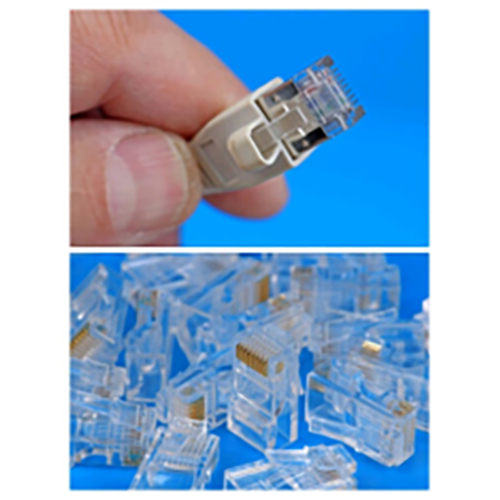
RJ45 CONNECTOR CAT6
Price 5 INR / Piece
Minimum Order Quantity : 100 Pieces
Size : Standard
Application : Ethernet Networking, LAN cabling, Data Transmission
Product Type : RJ45 Connector CAT6
Material : Polycarbonate (housing), Goldplated brass (contacts)
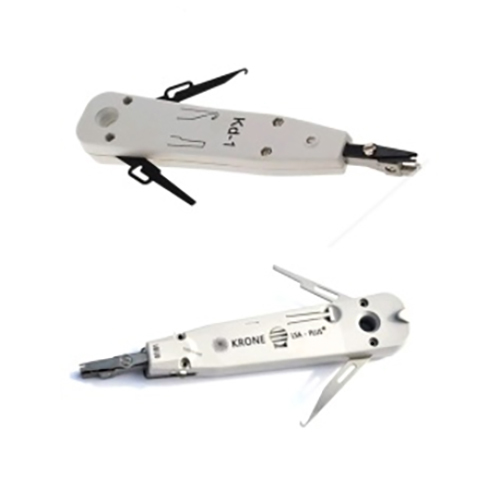
KRONE PUNCHING TOOLS
Price 1000 INR / Piece
Minimum Order Quantity : 10 Pieces
Size : Standard
Application : Telecommunication, Networking, Cable Termination
Product Type : Punch Down Tool
Material : Highgrade Plastic and Metal
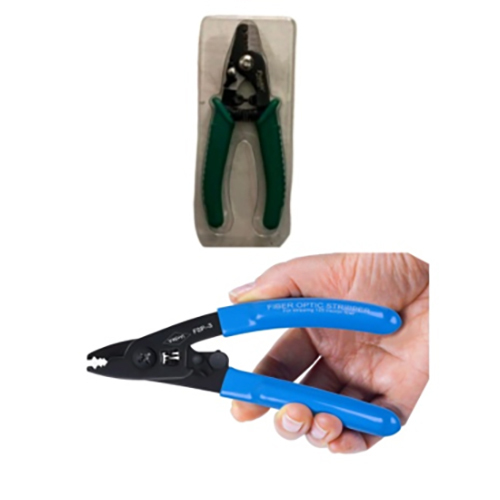
Fiber stripper
Price 1000 INR / Piece
Minimum Order Quantity : 5 Pieces
Size : 6.3 inches
Application : Fiber optic cable stripping
Product Type : Manual fiber stripper
Material : Highcarbon steel with PVC handles

 Send Inquiry
Our Products

Shop No.18, Mayur Complex, Khodiyar Colony, Near Crystal Mall,Jamnagar - 361006, Gujarat, India

Mr Kantibhai A. Vadhvana
(Proprietor)
Mobile :08071793724
 Send Inquiry
 Send SMS
Developed and Managed by Infocom Network Private Limited.
